
Project information
- Category: Excel VBA
- Purpose/Client: Primary Engineering and Construction
- Project date: Febuary 19, 2025
Info For Tool
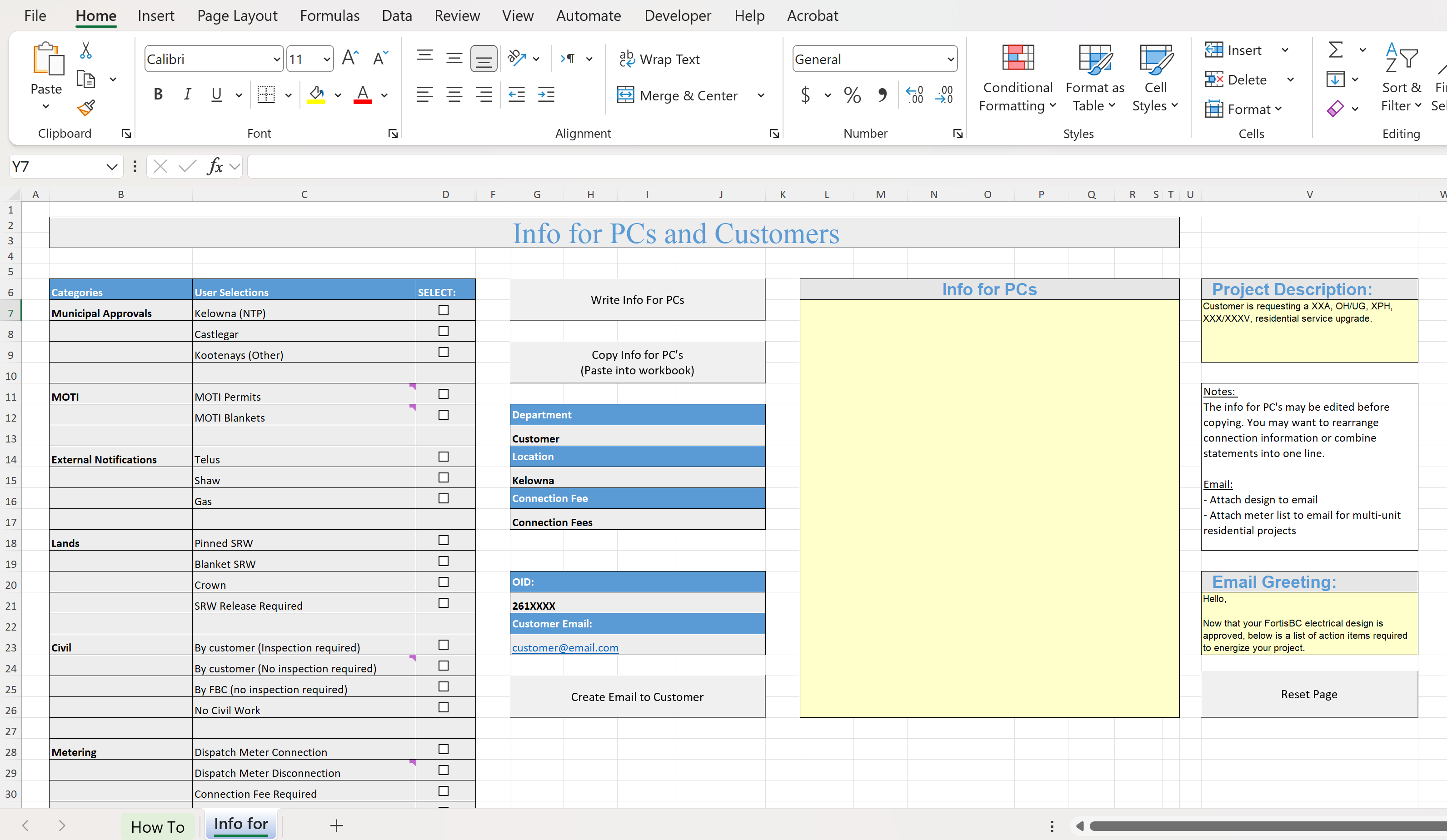
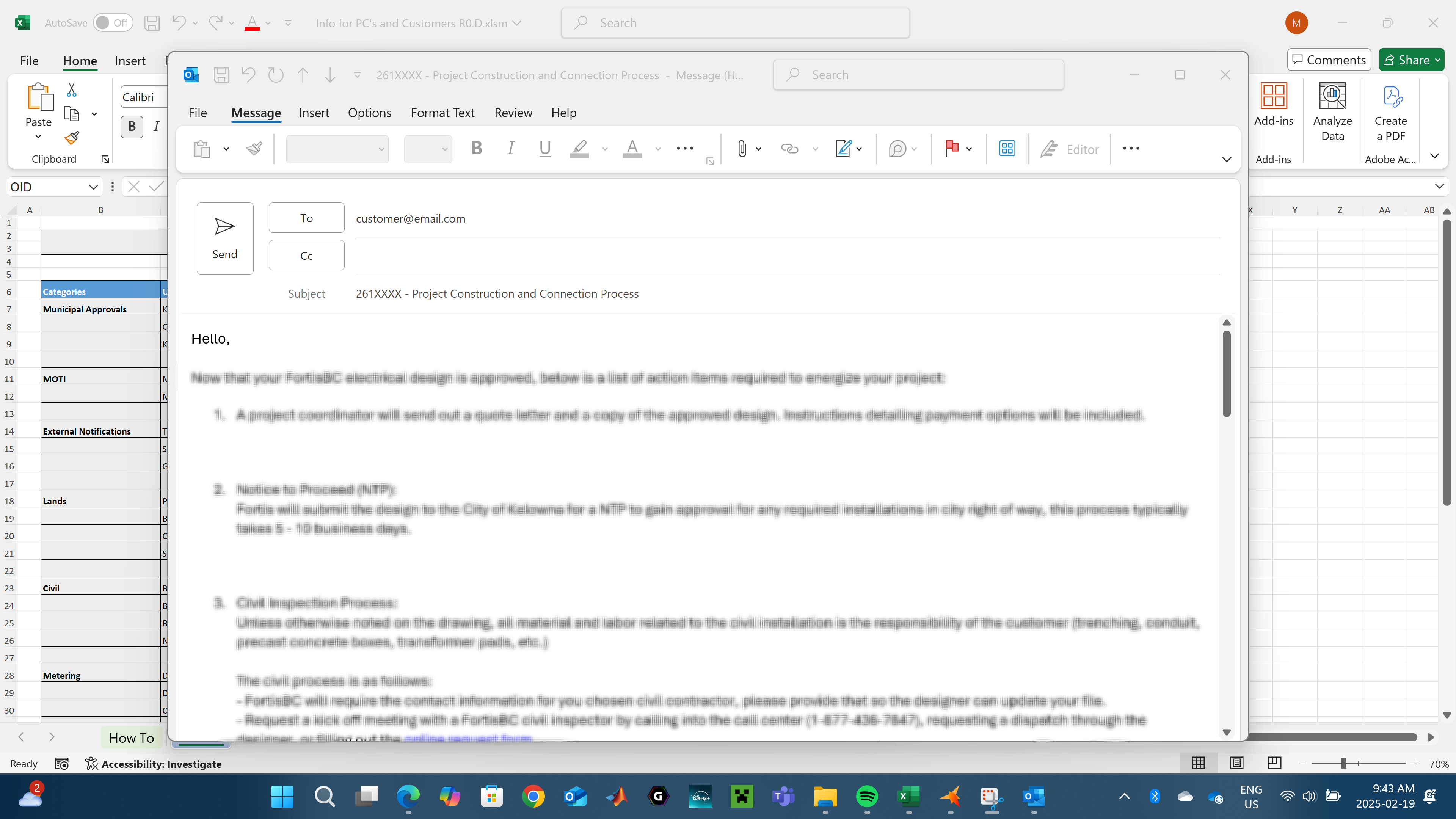
An Excel tool built to improve workflow in operations. Creates instructions for project coordinator's based on the project requirements and automatically populates an email to the customer describing requirements to connect the service.
Process
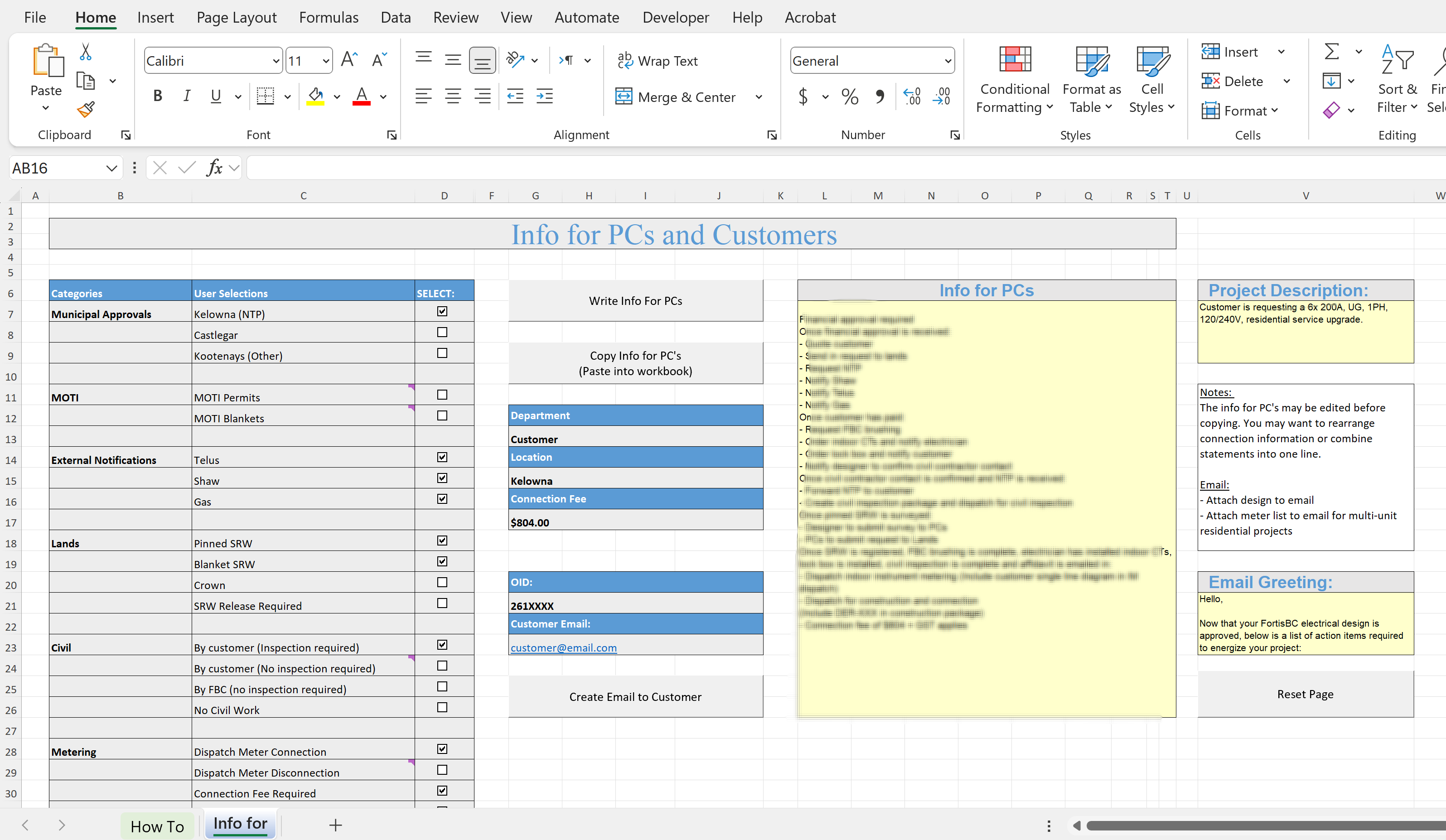
The user defines the project scope with checkboxes in the main table. The program then reads from a background table and determines if a statement should be included. The info for PC’s statements is chronologically ordered and formatted into a paragraph. This paragraph is copied by the user into a project’s workbook. The info for Customers is ordered by subject and formatted into HTML to be read by Microsoft Outlook.
The design phase began with one-on-one meetings with my manager to discuss the tool requirements. I designed a first draft and proceeded to iterate through feedback and revisions until we were both happy with the product.
Challenges
Since this tool was designed to change with time as standards and practices evolve, simply programming the outcomes of the user selections was not an option. The selections don’t produce linear or one-to-one results and may change the statement order. This posed a challenge in the workflow of the file for future amendments. For the team leader to fully customize the outcomes of each user selected item, hidden “settings” sheets were designed with “if-then” structures in chronological order. These instruct the program as to what statements appear.
Another challenge was constructing statements into grammatically correct paragraphs. A single sentence should be constructed from consecutive “once statements”. For example Once A, B, C and D occur then XXX can happen. This utilized nested while-loops to check for chains of statements.
Learning Outcomes
The following are the skills I developed most:
- Workflow Management: Employee time is a valuable company asset. If the time to perform commonly required tasks can be reduced and streamlined, money is essentially being saved. Working on a project like this has helped me become more aware of similar tasks as well as how to reduce them.
- VBA Macros: Excel is a great resource for calculations and tools, inventory management, project estimates, and other project management tasks. In some circumstances, automating these tasks with VBA can greatly reduce time and money. I learned how to use VBA to create user friendly tools that implement buttons, drop down selections, and check lists to automatically produce results.